
The global time standard used is called Coordinated Universal Time (UTC), all national time standards around the world are based on this UTC time with the appropriate offset for their time zone. To keep UTC time synchronised to the Earth’s rotation, additional seconds can be added or removed to compensate for slight variations in the rotation rate of the Earth and other factors. When required, leap seconds are applied either on December 31st or June 30th.
The GPS system uses GPS time, which does not include these leap seconds. In order to allow accurate UTC time to be determined from GPS the GPS system transmits the number of leap seconds difference between the two times.
On December 31st 2016, the offset was increased to 18 seconds:
Before the 2016 leap second: GPS-UTC was 17 (GPS ahead of UTC by 17 seconds)
After the 2016 leap second: GPS-UTC became 18 (GPS ahead of UTC by 18 seconds)
The sequence of dates of the UTC second markers are:
2016 December 31, 23h 59m 59s
2016 December 31, 23h 59m 60s
2017 January 1, 00h 00m 00s
Each version of the SatGen Software includes a list of all past leap seconds and any future leap seconds that had been announced at the time of release, these will automatically be taken into account for any scenarios which span a leap second event.
| GPS Leap Second Dates | Leap Seconds |
|---|---|
| 01/01/1980 - 01/07/1981 | 0 |
| 01/07/1981 - 01/07/1982 | 1 |
| 01/07/1982 - 01/07/1983 | 2 |
| 01/07/1983 - 01/07/1985 | 3 |
| 01/07/1985 - 01/01/1988 | 4 |
| 01/01/1988 - 01/01/1990 | 5 |
| 01/01/1990 - 01/01/1991 | 6 |
| 01/01/1991 - 01/07/1992 | 7 |
| 01/07/1992 - 01/07/1993 | 8 |
| 01/07/1993 - 01/07/1994 | 9 |
| 01/07/1994 - 01/01/1996 | 10 |
| 01/01/1996 - 01/07/1997 | 11 |
| 01/07/1997 - 01/01/1999 | 12 |
| 01/01/1999 - 01/01/2006 | 13 |
| 01/01/2006 - 01/01/2009 | 14 |
| 01/01/2009 - 01/07/2012 | 15 |
| 01/07/2012 - 01/07/2015 | 16 |
| 01/07/2015 - 31/12/2016 | 17 |
| 31/12/2016 - xx/xx/xxxx | 18 |
The GPS system only transmits leap second information approximately once every 12 minutes. When generating scenarios to test leap second events, it is recommended that the generated scenario starts at least 20 minutes before midnight UTC time. This ensures that the device under test has an opportunity to receive the relevant information prior to the leap second event.
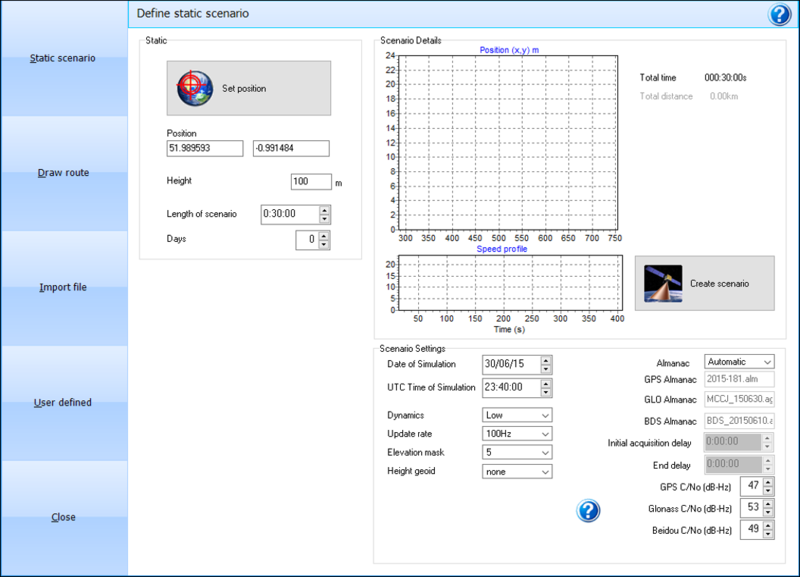
By using the date of the leap second event, a GPS scenario can be created with the additional leap second added. For example, set the date to 30th June 2015 at 23:40.00 for a 30 minute duration. The scenario created will include the navigation message with the leap second alert and will update the additional seconds from 16 to 17 seconds as the date rolls over.
- Connect the LabSat 3 to the HDD and to a PC with the USB A to USB B cable. Ensure that the PC has the LabSat 3 PC Comms Driver installed.
- Start the LabSat 3 scenario 2019_4_6_rollover_GPS_2bit_40min.
- Download, install and launch the u-blox u-center software.
- Connect to the relevant USB port on the PC at 115200 baud.
- Open the messages window F9.
- Select UBX from the Messages NMEA window.
- Select the NAV (Navigation) drop down. Right click and select Enable child messages.
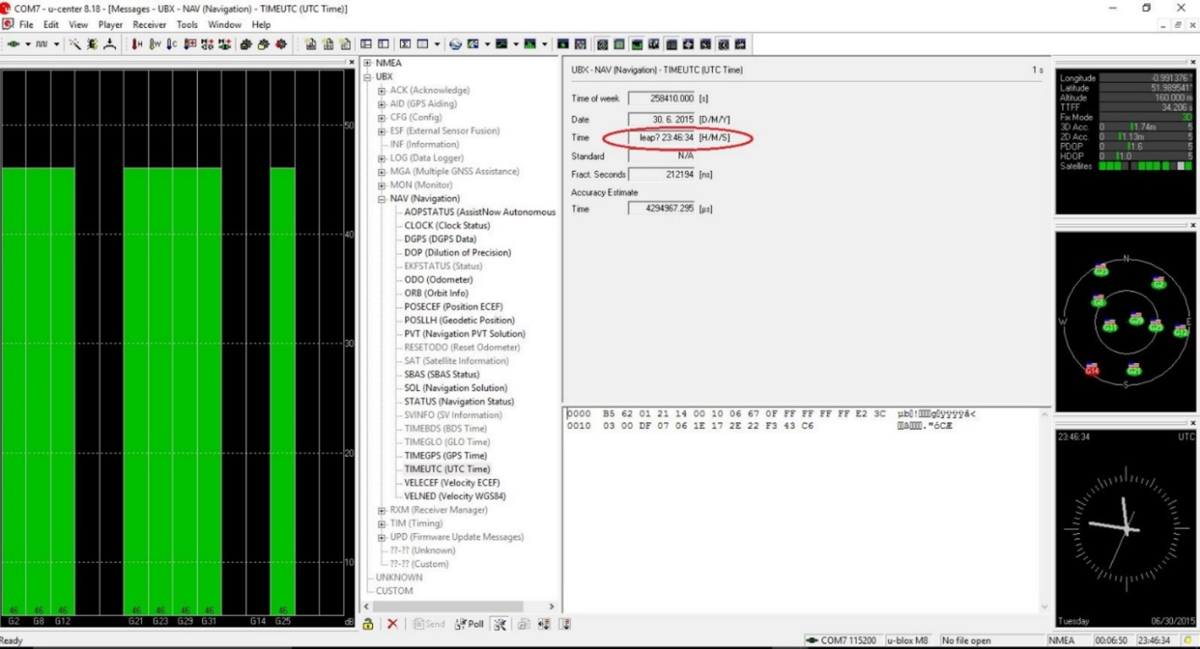
- Select TIMEUTC (UTC Time), note the Time display - leap second alert message.
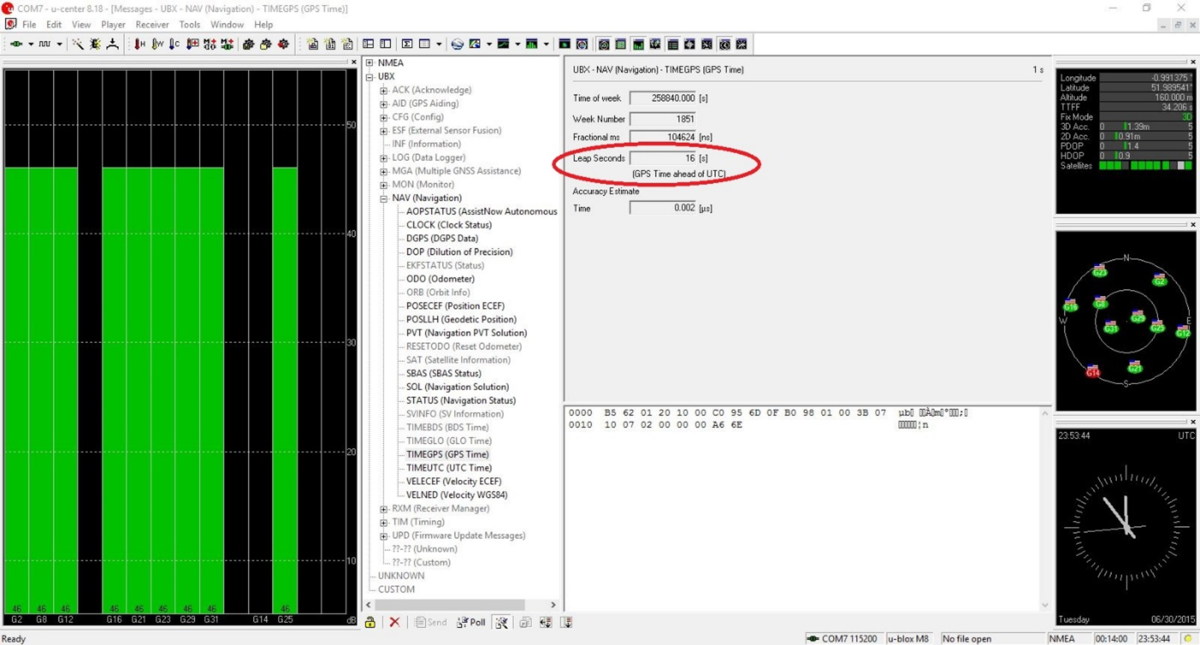
- Select TIMEGPS (GPS Time), note the Leap Seconds display (Leap Seconds display will change from invalid to 16 seconds by 23:49 minutes).
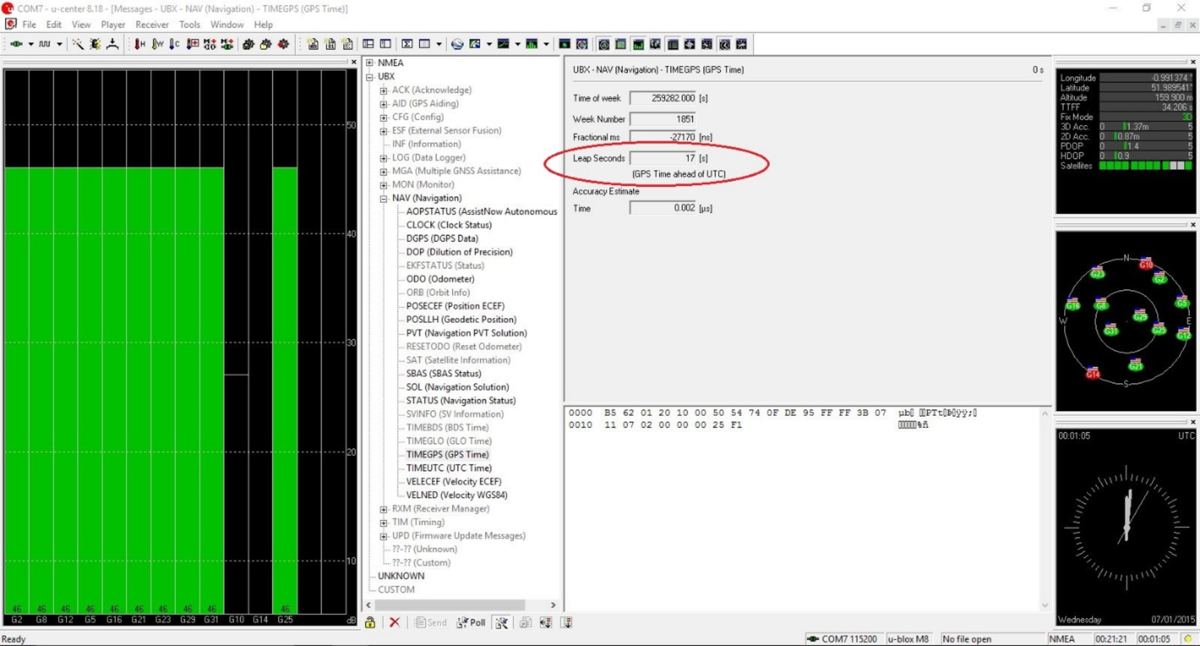
- Wait till 23:59 to observe the display change from 16 seconds to 17 seconds.
NOTE
The UBX child messages cannot be enabled on a LabSat 3 Wideband.
This means Leap Second testing cannot be carried out using the rear USB NMEA output, an external receiver must be used instead. If a u-blox M8 receiver is used, the guide above can be followed.