
So that Racelogic can continue to provide you with notification of the latest software releases, firmware upgrades and to offer technical support, please register your VBOX Sigma.
Register your unit here.
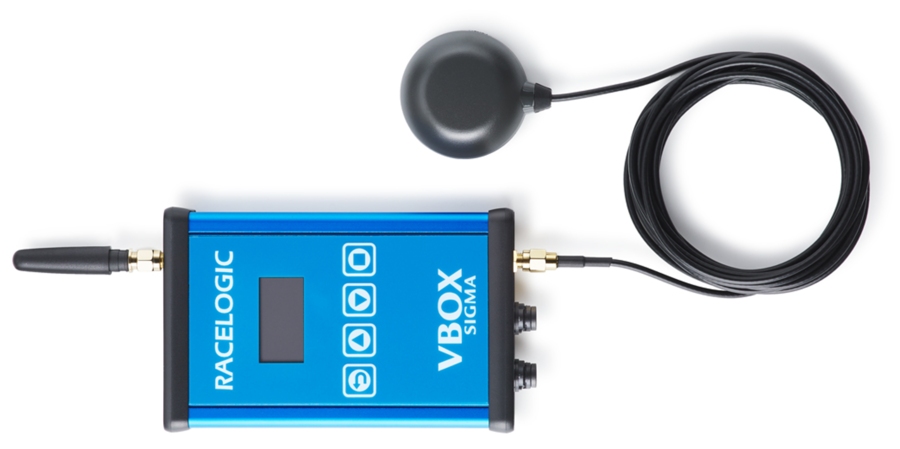
VBOX Sigma is supplied with a GNSS antenna (RLACS308) which is connected to the SMA socket on the bottom of the unit.
IMPORTANT
The first time that the unit is used, it may take up to 10–15 minutes to fully acquire satellites. After this, it will usually take 1–2 minutes to acquire satellites.
Appropriate placement of the GNSS antenna is crucial to the quality of the data that is being recorded.
Be aware of objects that can shadow the antenna or block the signal to the antenna. Some objects can also reflect signals which can send weaker GNSS signals to the antenna. This is called multipath, and these reflections can disturb the signal in an unpredictable way.
If an antenna is not mounted on a large enough ground plane, multipath reflections can also come from the ground beneath the antenna.
If you are using the antenna without a sufficient ground plane (such as on a bike or carrying the unit by hand), you can put a sheet of metal underneath the antenna (this can for example be copper or aluminium foil) or use an antenna with strong multipath-rejection properties (ACS320).
Antennas, such as the ACS320, are much larger and more expensive than the standard antennas that come supplied with a VBOX unit, but you can mount them on a pole to get them higher from the ground and away from shadowing items.
On a motorbike, you should place the antenna as far from the rider as possible to reduce the rider's shadowing effect. The best place is usually at the back of the bike.
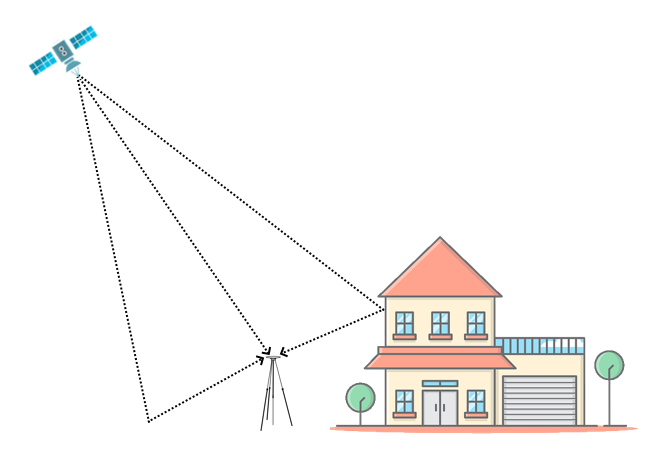
Appropriate placement of the GNSS antenna is crucial to the quality of the data that is being recorded.
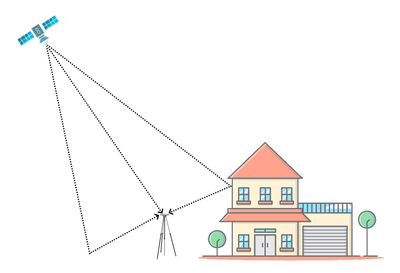
Be aware of objects that can shadow the antenna or block the signal to the antenna. Some objects can also reflect signals which can send weaker GNSS signals to the antenna. This is called multipath, and these reflections can disturb the signal in an unpredictable way.
If an antenna is not mounted on a large enough ground plane, multipath reflections can also come from the ground beneath the antenna.
If you are using the antenna without a sufficient ground plane (such as on a bike or carrying the unit by hand), you can put a sheet of metal underneath the antenna (this can for example be copper or aluminium foil) or use an antenna with strong multipath-rejection properties (ACS320).
Antennas, such as the ACS320, are much larger and more expensive than the standard antennas that come supplied with a VBOX unit, but you can mount them on a pole to get them higher from the ground and away from shadowing items.
On a motorbike, you should place the antenna as far from the rider as possible to reduce the rider's shadowing effect. The best place is usually at the back of the bike.
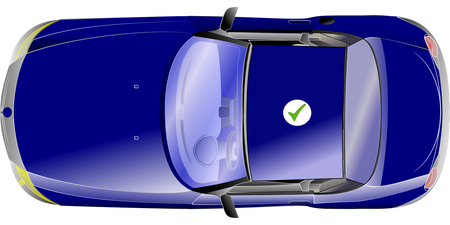
Do:
- Use the GNSS antenna in the centre of a metal roof or on a metal ground plane that has a radius of at least 5 cm
- Make sure that the GNSS antenna is placed away from anything than can cause blockages or multi-path, such as roof bars or radio antennas.
Do not:
- Mount the antenna close to the edge of the roof as reflections from the ground may interfere with the signals.
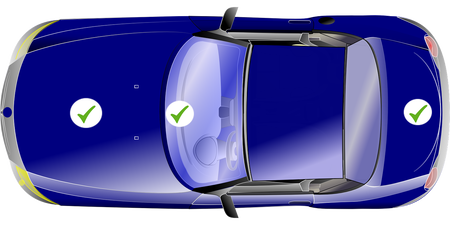
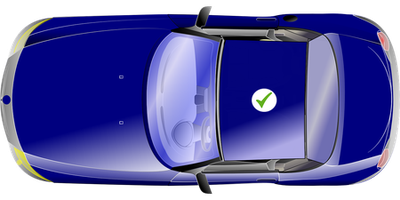
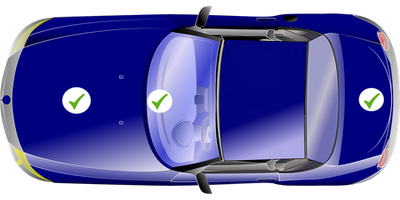
If the vehicle does not have a metal roof you can:
Use copper or aluminium foil to create a shaped ground plane that is at least 10 cm in diameter and place it underneath the antenna.
- You can use a non-metallic tape to secure the antenna. Non-metallic tape placed over the top of the antenna will not cause any issues with the operation.
- If it is not ideal for your scenario to attach metal foil on the outside of the vehicle, you can place some adhesive-backed metal foil underneath the antenna on the inside of the vehicle.
OR
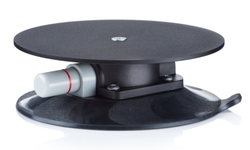
Use a Suction Roof Mount with Steel Plate (RLACS334).
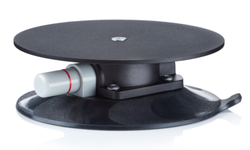
Use a Suction Roof Mount with Steel Plate (RLACS334).
VBOX Sigma is also supplied with a cellular antenna antenna (ANTMSTUBSMAM), which is connected to the SMA socket on the top of the unit.
VBOX Sigma logs data via an SD card inserted in to the bottom of the unit. Dependent on the Logging Strategy selected within the VBO Log Settings area of the Wi-Fi hotspot configuration interface, the unit will either log continuously or when movement is detected. Logging can also be started/stopped using the Square Button on the front of the unit.
VBOX Sigma is supplied with an 8 GB SDHC card in a FAT32 file format, which is the only file format supported.
If you are looking to purchase a new SD card, it is recommended that any card used has a write speed of above 7 MB/s (4 MB/s absolute minimum) and a speed class of 10 (4 absolute minimum). Racelogic recommend SD cards from quality brands such as Transcend, SanDisk, Kingston or Lexar to ensure best results.
IMPORTANT
If an SD card is formatted in the exFAT or NTFS file formats, it will need to be reformatted into a FAT32 file system before it will work with a VBOX Sigma unit.
Supplied or purchased SDHC cards are formatted in the FAT32 file format. This format is supported by VBOX Sigma.
Purchased SDXC cards will be formatted in exFAT or NTFS file formats; these formats are not supported by VBOX Sigma (please reformat as per instructions below).
- FAT32 reformatting for media with sizes up to 32 GB can be done directly within Windows by right clicking on the media and selecting 'Format'.
- If you would like to format media with sizes above 32 GB in to a FAT32 file system, this isn't something that can be done directly within Windows as it is not the standard formatting for the file. However, many third party software programs can be used to reformat media to allow them to work correctly with our products - we can recommend the guiformat tool (attached at the bottom of this article) as a free option from the SD card organisation.
VBOX Sigma logs channels to an inserted SD card within a .vbo file, channel information is available below:
- Satellites: This is the number of satellites in use.
- Time: This is UTC time since midnight in the form HHMMSS.SS.
- Latitude: Latitude in minutes MMMM.MMMMMMMM +ve = North e.g. 3169.30644410M = 52D, 49M, 18.4S.
- Longitude: Longitude in minutes MMMMM.MMMMMMMM +ve = West e.g. 00040.18164742M = 00D, 40M, 10.9S.
- Velocity: Velocity in km/h.
- Heading: Heading in degrees with respect to North.
- Height: Height above sea level in meters based on the WGS84 model of the earth used by VBOX GNSS engines.
- Vertical velocity: Vertical velocity in m/s. +ve velocity uphill, -ve velocity downhill.
- Solution type: Indicator for what the unit is currently using to derive position: 0 = No sats; 1 = Standalone using GNSS only; 2 = SBAS; 3 = RTK Float (RTK but not full resolution); 4 = RTK Fixed.
- CorrectionsAge: RTK signal age in seconds received from the NTRIP server.
More information on the VBO file format can be found here.
VBOX Sigma can either use the internal 4G modem via a Standard SIM card or a Wi-Fi connection to acquire the NTRIP correction messages from the server. If you want to use the internal 4G modem, you must use your own Standard data SIM card.
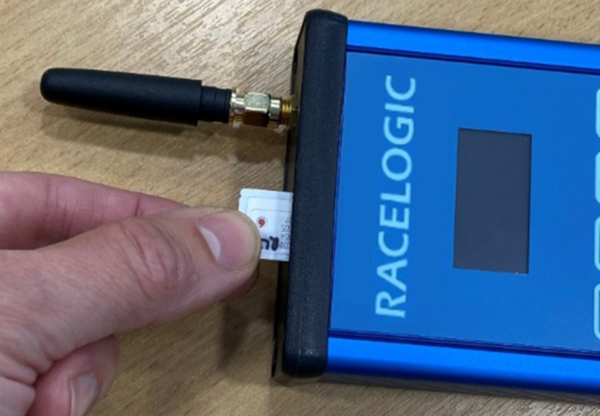
Insert the SIM card into the slot at the top of the unit.
The logo on the SIM card must face the front of the modem and the end with the cut corner must be inserted first.
NOTE
Make sure that the SIM card has been activated before you insert it into the modem. The easiest way to activate it is to put it into a USB 4G dongle and go through the steps to activate it on a computer before you insert it into the modem.
IMPORTANT
If the SIM card can be broken down into a Micro/Nano SIM, make sure that it is stable when you insert it into the modem as the Micro/Nano SIM could become detached from the card inside the modem.
The VBOX Sigma unit can be either powered from the 3-way hirose connector on the bottom of the unit using the supplied RLCAB010H cable which is inserted in to a vehicle's 12 V cigar power socket, from the USB socket on the top of the unit using the supplied TTV1AM20MB31 cable, or through the 6-way hirose connector on the bottom of the unit if being connected to another VBOX to provide NTRIP correction messages.
IMPORTANT USB INFORMATION
- If you are using the USB socket to apply power to the unit, ensure you are using the supplied USB cable (TTV1AM20MB31) as it is needed to deal with the increased power requirements of the unit.
- The unit also requires a minimum voltage of 5 V from a dedicated power supply (such as a power bank or mains supply) to function correctly.
- If the USB connection is not supplying enough voltage to the unit, it will display a 'USB power may not be adequate' message and will then restart once a button is pressed. However when restarted, you are still able to update the firmware of the unit and perform logging without NTRIP corrections.
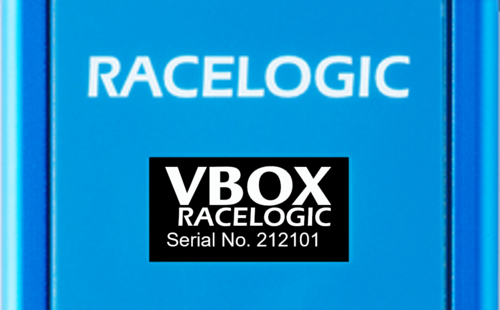
Once power is applied to the unit, it will display VBOX and Racelogic logos along with the serial number and firmware version of the unit.
If the unit is configured to use both the internal GSM modem and an external Wi-Fi hotspot, it will attempt to auto connect to the Wi-Fi hotspot first on power up. Configuration of VBOX Sigma is performed using a Wi-Fi hotspot access point created by the unit. You can then log in to this access point using your phone or a computer. A webpage is then used to configure the unit to either use the internal GSM modem or an external Wi-Fi hotspot to connect to your chosen correction service. Other settings options include CAN and VBO log settings along with status information. Settings are retained after a power cycle, more information on this is available here.