
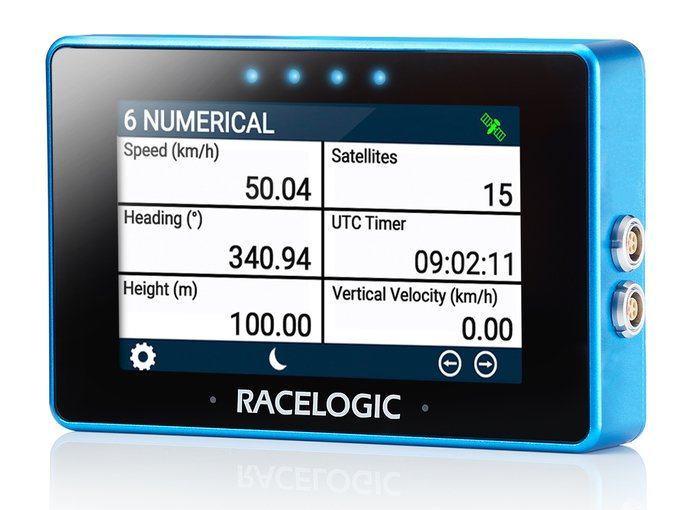
The Multi-Function Touch Display (MFD Touch) is designed to display GPS and CAN derived data channels from various VBOX loggers and sensors.
It provides real-time calculation and presentation of performance tests and lap timing results, eliminating the need for post-processing.
MFD Touch features a 4.3” daylight-readable color touchscreen, ensuring visibility of the necessary data for each test. It has an inbuilt speaker and four LED status lights, to provide audio and visual alerts that notify the driver when user-defined data or test conditions are met.
Ideal for in-vehicle testing, MFD Touch allows monitoring of up to six data parameters simultaneously, with eight different screen layouts for easy switching.
Performance test and lap timing results can be instantly viewed on the screen, output via CAN or saved to an SD card as a text file.
The Multi-Function Touch Display (MFD Touch) is designed to display GPS and CAN derived data channels from various VBOX loggers and sensors.
It provides real-time calculation and presentation of performance tests and lap timing results, eliminating the need for post-processing.
MFD Touch features a 4.3” daylight-readable color touchscreen, ensuring visibility of the necessary data for each test. It has an inbuilt speaker and four LED status lights, to provide audio and visual alerts that notify the driver when user-defined data or test conditions are met.
Ideal for in-vehicle testing, MFD Touch allows monitoring of up to six data parameters simultaneously, with eight different screen layouts for easy switching.
Performance test and lap timing results can be instantly viewed on the screen, output via CAN or saved to an SD card as a text file.
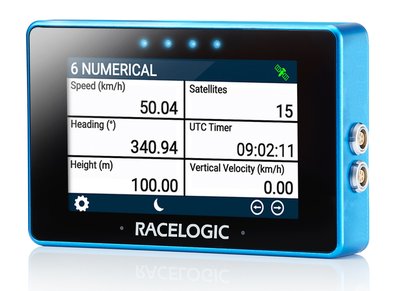
- 4.3” TFT colour touchscreen
- Displays up to six data channels simultaneously
- Audio and visual alerts
- User-configurable display parameters
- Connects to all units via CAN
- Ideal for performance and braking tests (speed-to-speed and trigger activated)
- Ideal for slalom, point-to-point and circuit-based lap timing tests
- Supplied with a heavy-duty rubber suction cup
- Compatible with the RACELOGIC CAN Hub
- Connects directly to thermal printer (insert part number) to print out all configured test results
The table below shows which VBOX units are supported by MFD Touch, the MFD Touch firmware version that introduced the support, and any minimum firmware version required on the VBOX unit.
Where no minimum firmware version is listed, all firmware versions are supported.
If a VBOX unit requires a minimum firmware version, both conditions must be met:
- MFD Touch must be on the listed firmware version or later
- the VBOX unit must be on the listed firmware version or later
| VBOX Unit | MFD Touch Firmware version | VBOX Unit Firmware Version |
|---|---|---|
| VBOX 4 | v1.5.5.113 and later | -- |
| VBOX 3i ADAS | v1.5.3.103 and later | -- |
| VBOX 3i | v1.1.1.26 and later | -- |
| VBOX 3iS | v1.4.1.64 and later | v1.2.9388 and later |
| VBOX IISX | v1.5.5.113 and later | -- |
| VBOX 100 Hz Speed Sensor | v1.4.1.64 and later | v1.8.1664 and later |
Learn more about MFD Touch and how to use it in the product documentation:
Get up and running quickly with the basics.
Complete information about the product and how to use it.
Detailed technical information about the product.
Updating firmware and understanding version changes.
Help with common questions, issues, and additional guidance